
GPT Image 2.6 in Claude: Animated GIFs, Quality Levels and SVG
OpenAI released GPT Image 2.6 on November 4, 2026. Claude Imagine runs its Flare version on the web and inside Claude: pick low, medium or high quality, turn a prompt or an image into a looping animated GIF, and convert any still into an editable SVG.
No OpenAI account or API key; it uses your Claude Imagine credits.
From 3 credits per image · Animated GIFs from 5 credits · 9 free credits on signup, no card
Live product
Try GPT Image 2.6
The real Claude Imagine generator, with GPT Image 2.6 selected. Choose Quality for more detail, set Output to Animated GIF for a loop, or attach an image to edit or animate it. Every finished still has a Convert to SVG button.
Image Generator
9 free credits after signup
Made with Claude Imagine — click a sample to try its prompt. Your result will appear here.
What GPT Image 2.6 Made in Our Tests
Three real results from November 9, 2026, each at low quality. Click a card for the original file.

A GIF from a prompt · 5 credits
“A paper plane looping once across a pale blue sky and back to its start, flat style, seamless loop.” 9 frames of 512x512, 1.8 seconds.
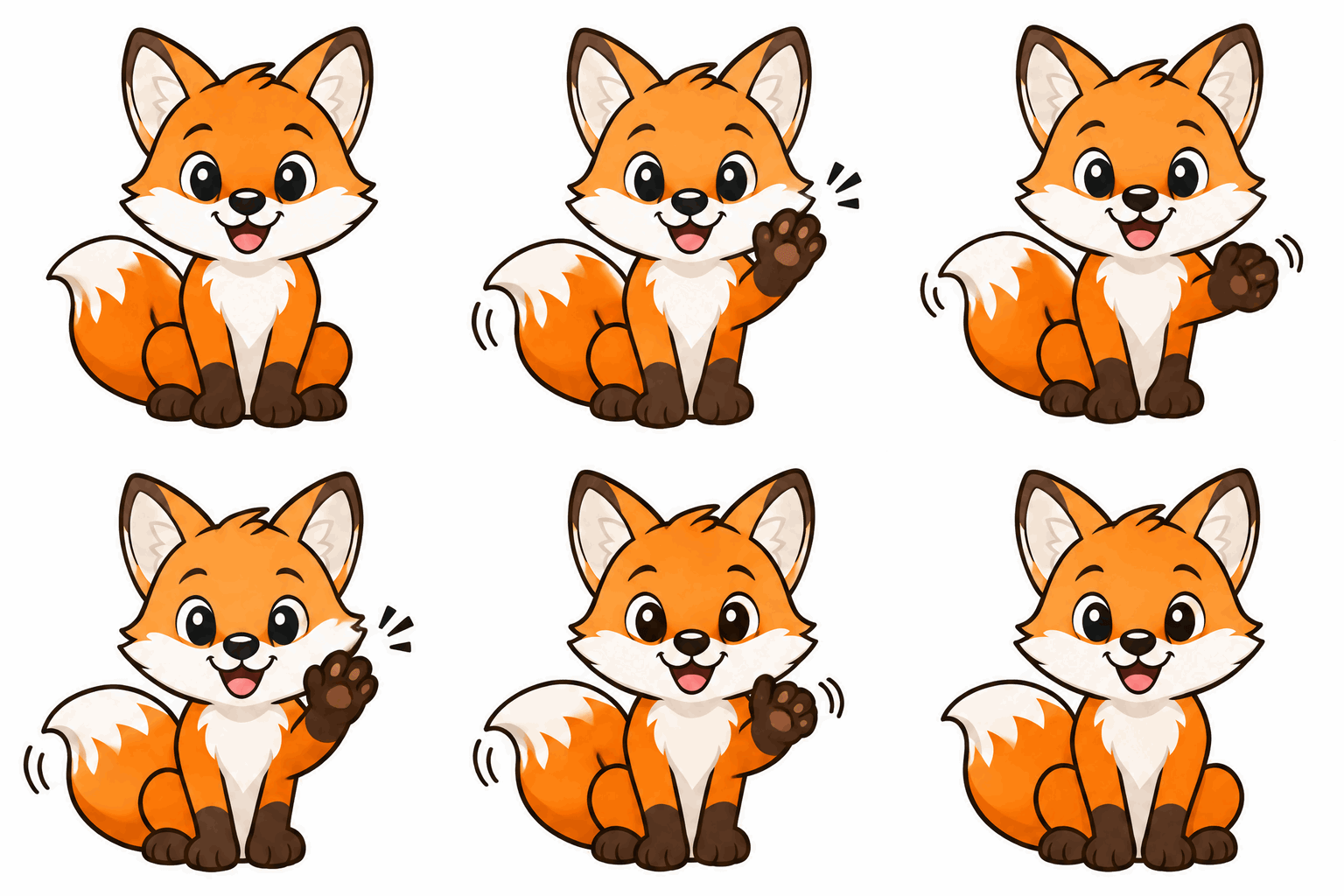
An image brought to life · 6 credits
Our fox mascot, asked to “wave one paw while the tail swishes.” The outline and colours hold in every frame.

A logo converted to SVG · 2 credits
A GPT Image 2.6 logo traced into a 16 KB editable SVG by Convert to SVG in 15 seconds, lettering intact.
What GPT Image 2.6 Adds
Everything below is live in the web generator and in the Claude connector today.
Three quality levels
Low is the default and the cheapest. Medium and high add detail for posters, product shots and print, and cost more; the price of each level shows in the Quality menu before you generate.
Animated GIFs from a prompt
Describe the subject, the motion and that it loops. The model returns a finished GIF of 9 square frames at 512x512, about 1.8 seconds long, with no video model involved.
Animate an existing image
Attach a logo, a mascot or a product shot and ask for a loop: steam rising from a cup, a character waving. The rest of the image is kept as it was.
Convert to SVG
Any finished still, or an image you upload, can be traced into an editable SVG for 2 credits. Works best on logos, icons, stickers and flat illustrations.
Lettering and layouts
OpenAI says Flare improves layout for posters and product imagery. In our tests the words we put in quotes came back spelled correctly on two logos, a share card and an animated logo.
Edits keep your framing
Ask Claude for an edit without naming a ratio and the result keeps the source's portrait or landscape framing; on the web you pick the ratio. Up to 9 images can go into one edit.
What GPT Image 2.6 Costs
Prices are in Claude Imagine credits, the same on the web and in Claude. A failed generation is refunded.
Still image, 1K
3 credits at low quality, 5 at medium, 6 at high.
Still image, 2K and 4K
2K: 6, 10 or 12 credits. 4K: 10, 17 or 20 credits, for low, medium and high.
Animated GIF
5, 8 or 9 credits from a prompt; 6, 9 or 10 when it animates your image.
Edits
From 5 credits at 1K low quality with one image. Each further image adds about 1.3 credits, because every image the model reads is billed upstream.
Convert to SVG
2 credits for any PNG, JPG or WebP.
Free to try
New accounts get 9 credits, and connecting Claude adds 6 more: enough for five low-quality 1K images, or three GIFs, before you pay anything.
How to Use GPT Image 2.6 in Claude
Claude does not render images itself. Connect Claude Imagine once and Claude can call GPT Image 2.6 for you in claude.ai, Claude Desktop and Claude Code.
Connect Claude Imagine
In claude.ai or Claude Desktop add https://claudeimagine.com/api/mcp as a custom connector. In Claude Code run claude mcp add --transport http claude-imagine https://claudeimagine.com/api/mcp and sign in when the browser opens.
Ask for the image or the GIF
Say "make a looping GIF of a paper plane with gpt-image-2.6" or "a high-quality poster with gpt-image-2.6". Claude calls generate_image with the model, the quality and output_format gif when you ask for motion.
Refine, animate or vectorize
Ask for a change and Claude runs edit_image on the last result. Ask for an SVG and it calls vectorize_image with the image URL. Every result comes back with its link and the credits it cost.
Why Our SVGs Are Traced, Not Written by the Model
GPT Image 2.6 can also write SVG code itself: it draws a hidden reference image and a language model rewrites it as shapes. We ran both ways on the same prompts. Tracing the PNG with Recraft Vectorize kept the logo and the illustration almost exactly; the model's own SVG broke the "Field & Flour" lettering and simplified the fox illustration. So SVGs here come from Convert to SVG.
You keep both files
The PNG stays in your results next to the SVG. If a trace is not what you wanted, you lose 2 credits, not the image.
Safe to open
Every SVG is cleaned of scripts and outside links before it is stored, and its link downloads the file instead of opening it.
Limits Worth Knowing
What GPT Image 2.6 on Claude Imagine does not do yet, so you can plan around it.
GIFs are short and square
Every GIF is 9 frames of 512x512 at 0.2 seconds each. That suits a wave, a blink or a loop of steam, not a scene that travels or a widescreen banner.
SVG suits flat art
Tracing a photo turns it into a mass of small shapes. For a clean vector, generate a flat design on a plain background first, then convert it.
Web and Claude only
GPT Image 2.6 runs in the web generator and through the Claude connector. The API-key endpoint still offers the earlier models.
In Claude, name the model
GPT Image 2.6 is the web generator's default. The Claude connector still starts from Nano Banana 2, so say gpt-image-2.6 in your request. Nano Banana 2 and GPT Image 2.5 stay in the model menu.
GPT Image 2.6 FAQ
Short answers about the model, GIFs, SVG, prices and using it from Claude.
Sources
Checked November 9, 2026. OpenAI describes the model, its GIF and SVG output and its pricing; Recraft documents the tracer behind Convert to SVG. Claude Imagine prices and behaviour above come from our own tests and the live product.
Make Your First GPT Image 2.6 GIF
Sign up for 9 free credits, no card required, and try it in the generator above or straight from Claude.